Chalk
A friendly TA in the margin.
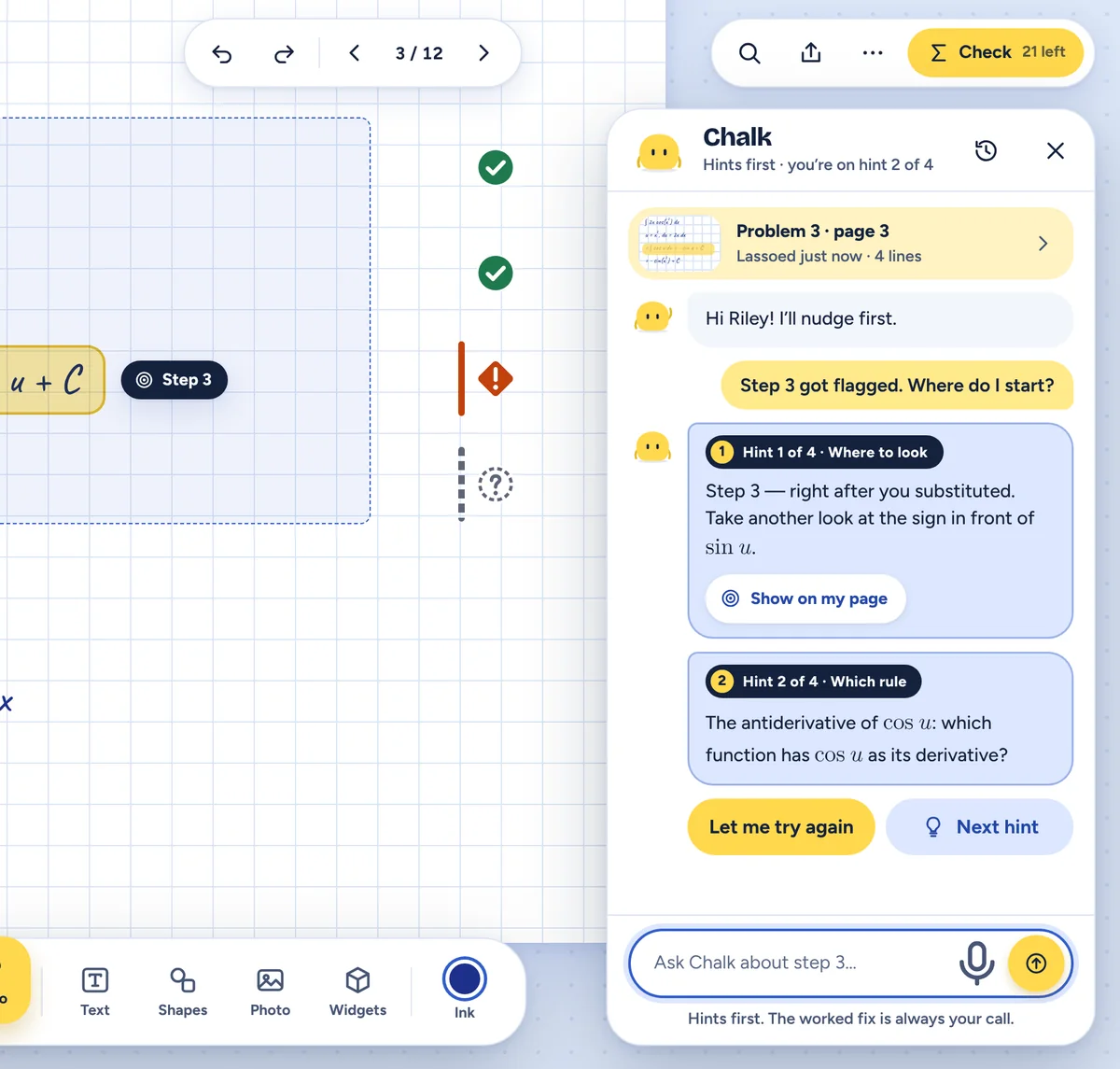
Stuck on a flagged step? Ask Chalk. It nudges before it tells: where to look, then which rule, then a question back to you. The worked fix waits behind a quick confirm, and it’s always your call.
Notetaking for STEM students
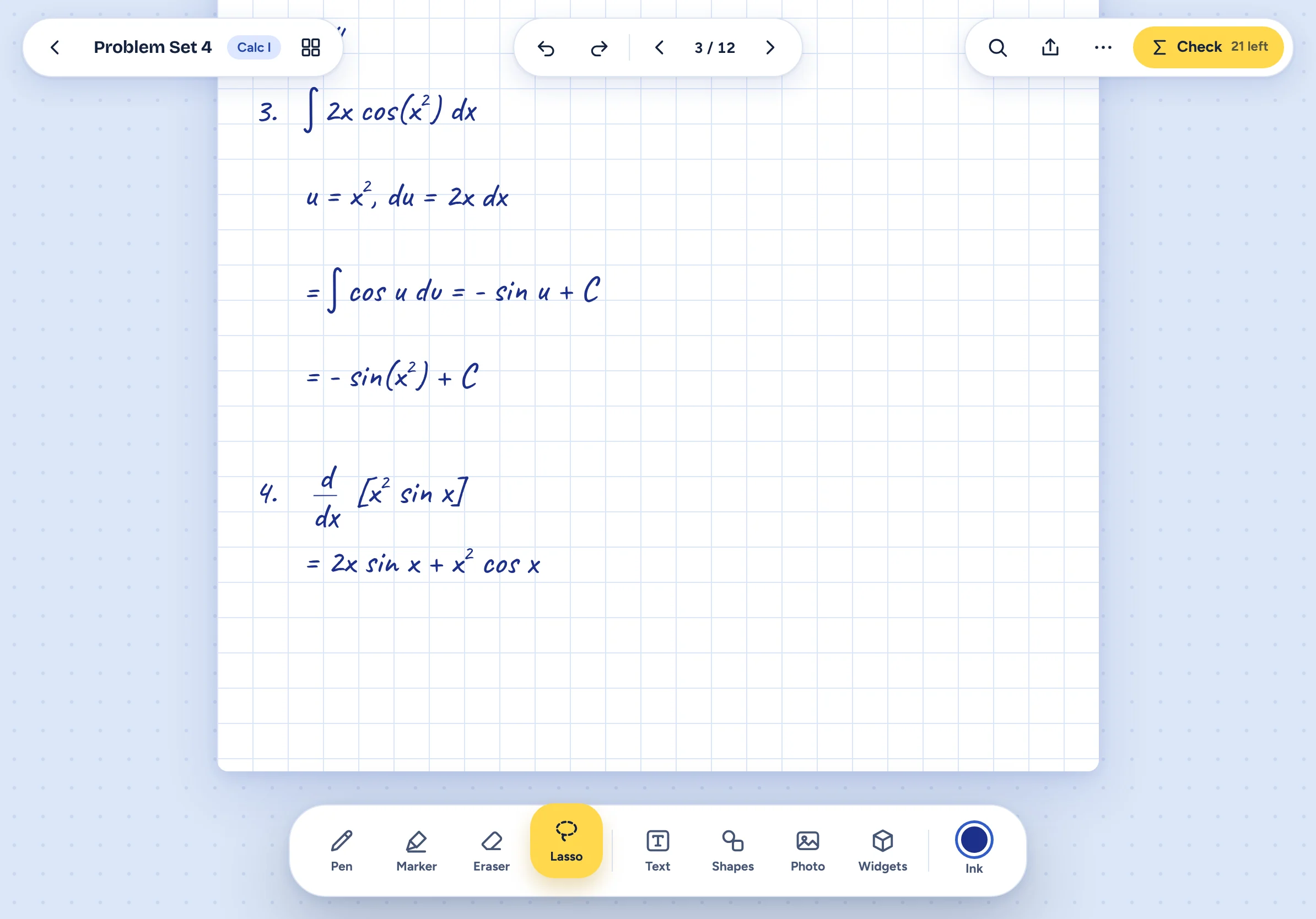
Write with Apple Pencil, lasso a step, and a math engine tells you whether it holds. Hints come before answers, so the thinking stays yours.
How it works
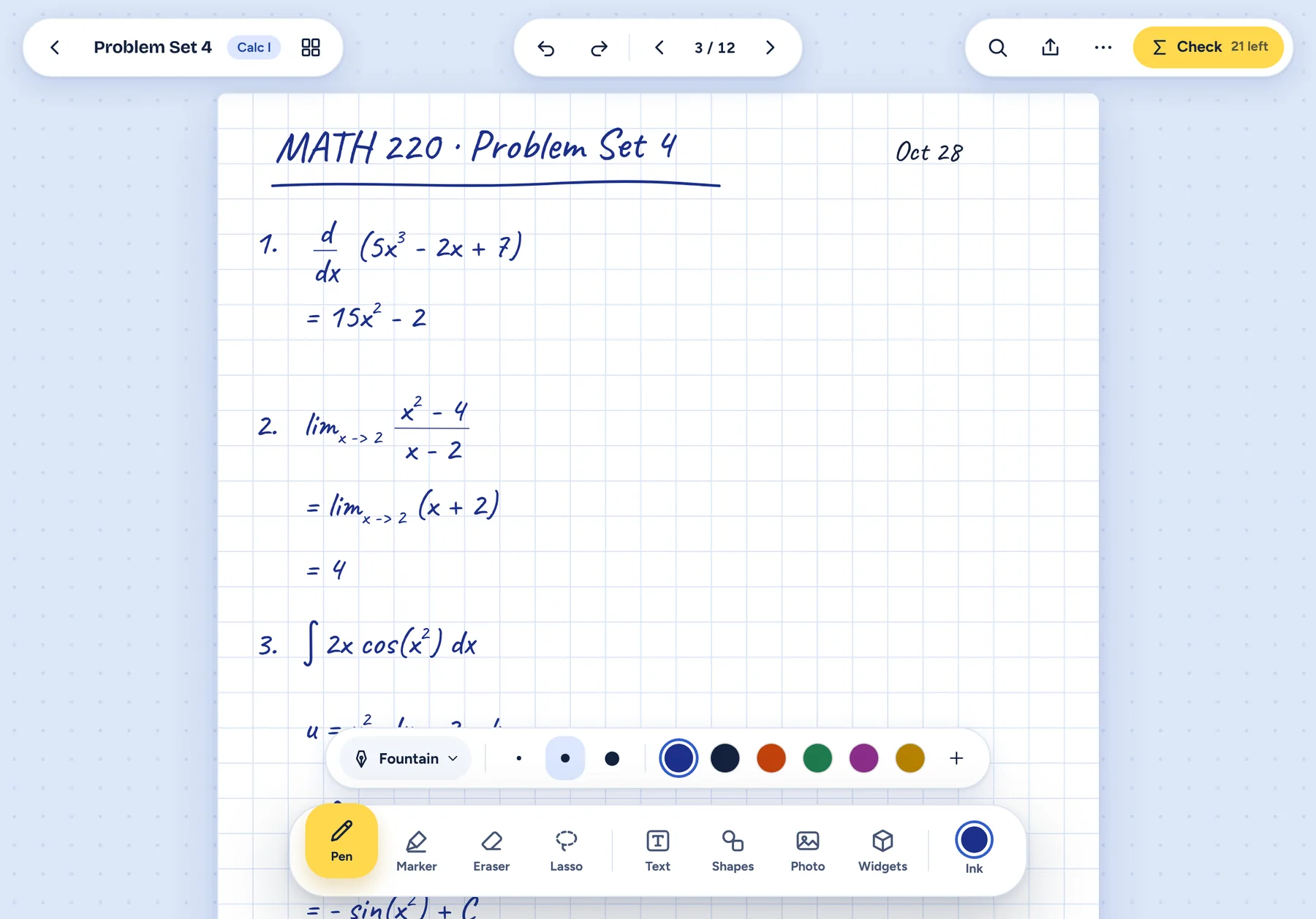
Nothing to set up and no equation boxes. Your handwriting stays handwriting until you ask a question about it.
Math Lens
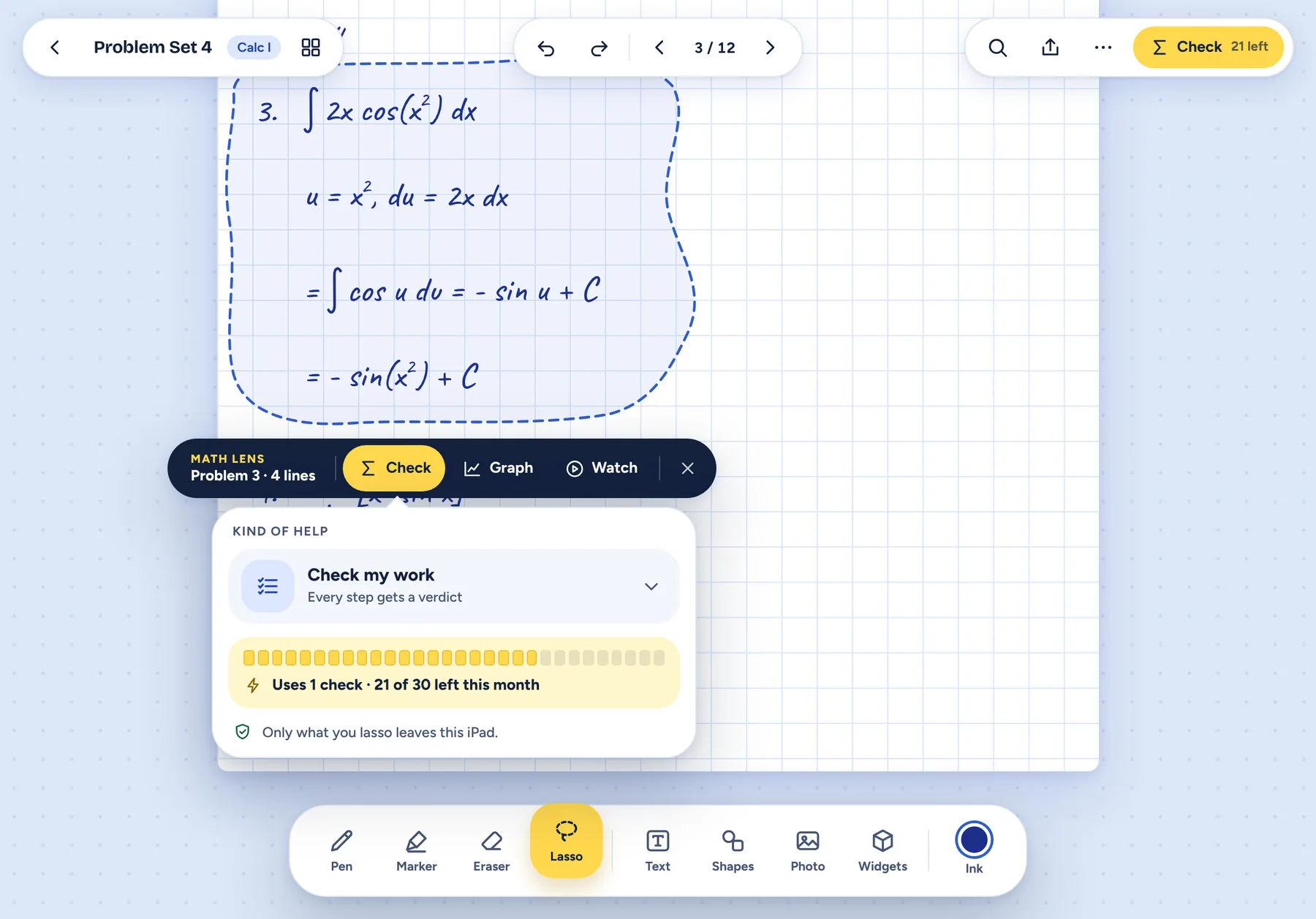
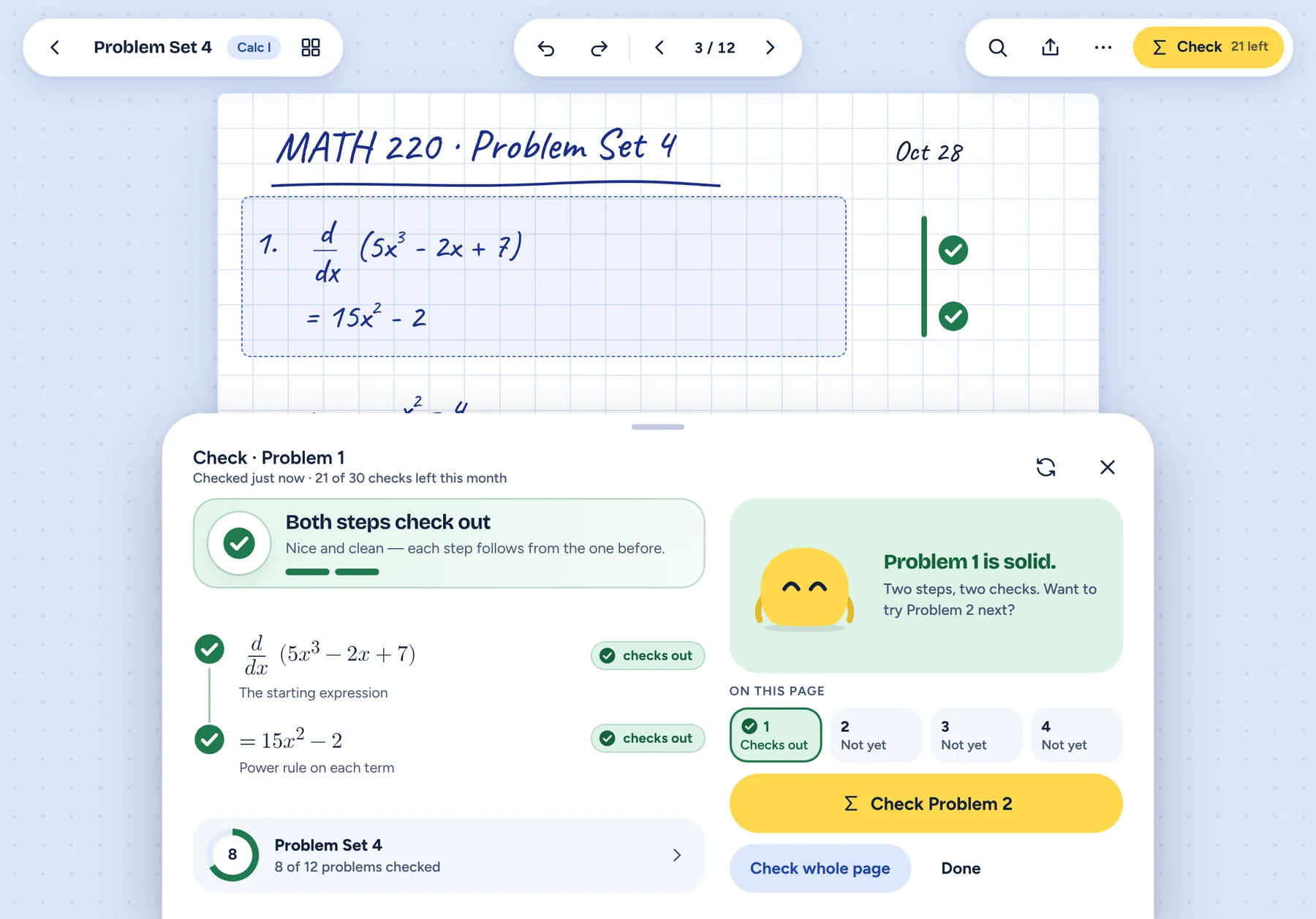
Lasso something and Math Lens offers three tools: Check it, Graph it, or Watch a short explainer. A Check answers in shape, word and colour, so colour is never the only signal.
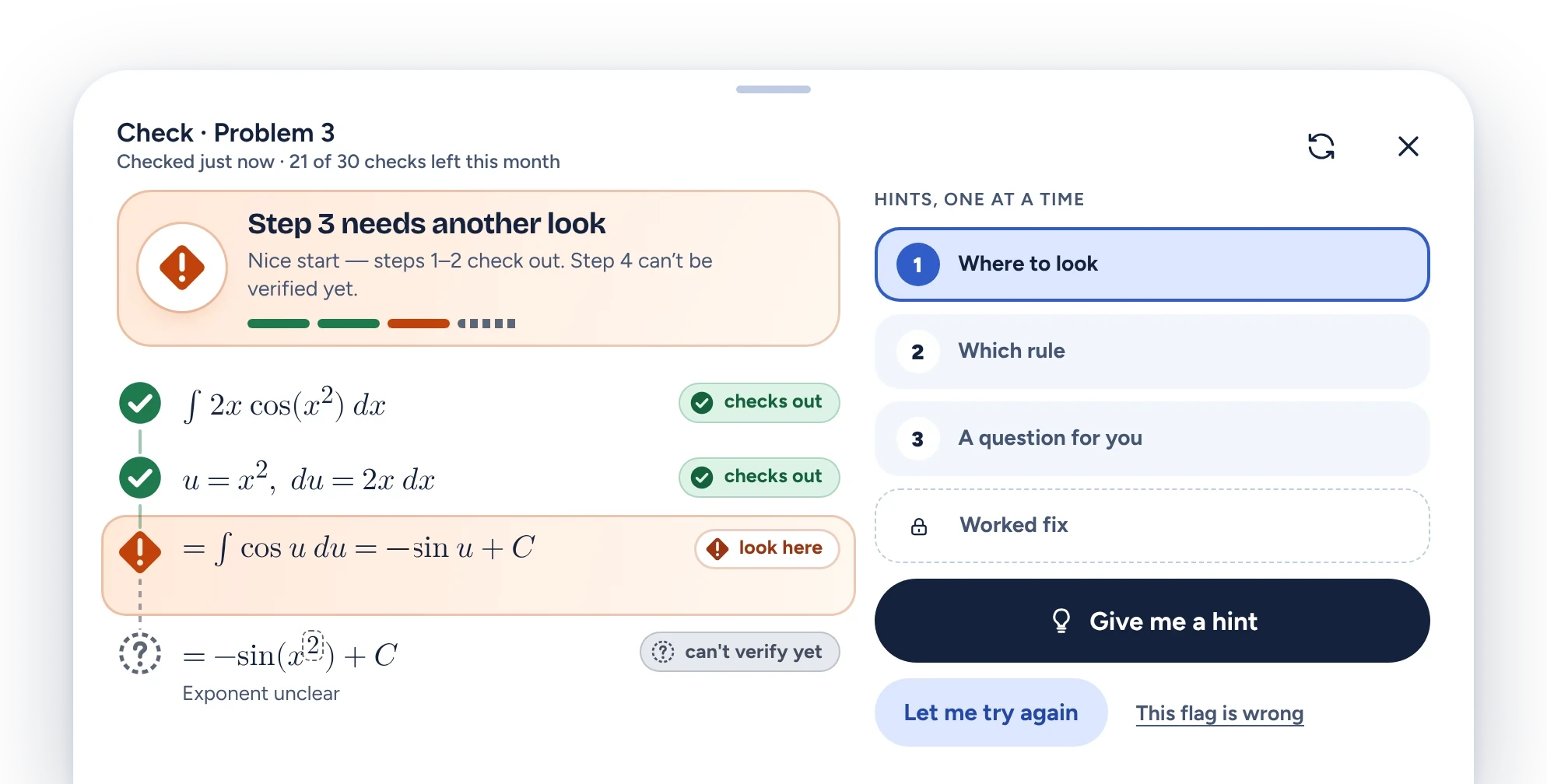
Not sure it read your handwriting correctly? “What we read” shows every symbol, and marks the ones it wasn’t certain of.
Each line follows from the one before it.
Nice start. Steps 1–2 check out.
The engine can’t settle it yet, so it says so instead of guessing.
Hints, one at a time
Around the Lens
Ask Chalk, plot a function, or turn your own notes into practice. All of it stays inside the notebook.
Chalk
Stuck on a flagged step? Ask Chalk. It nudges before it tells: where to look, then which rule, then a question back to you. The worked fix waits behind a quick confirm, and it’s always your call.
Graph
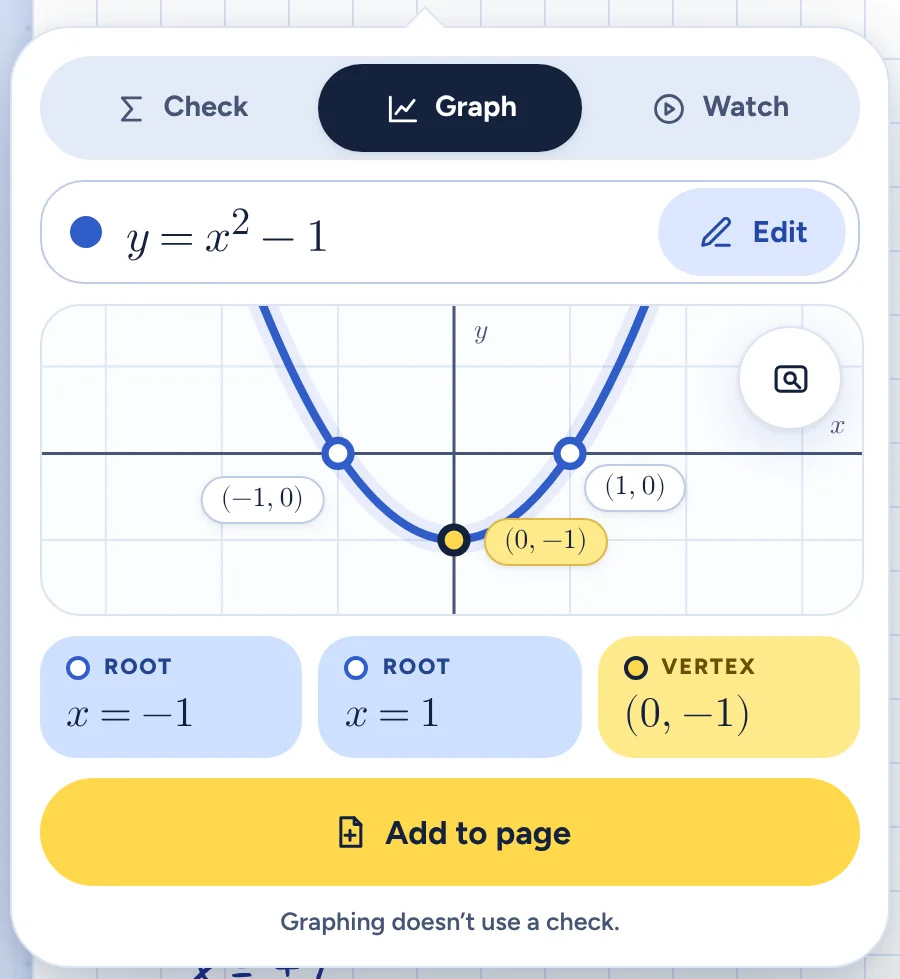
Lasso an equation and Graph draws it as a card on your page, ready to pan and zoom. Graphing doesn’t use a Check.
Study
Short explainers for the big ideas, review cards from your own notes, and fresh pages to try a problem again from scratch.

A note on how it helps
Most homework help begins at the answer. Slate Notes begins at the step you just wrote.
A math engine checks it. If something doesn’t follow, you get a nudge about where to look first, then which rule applies, then a question to think about. The worked fix is there too, behind a quick confirm, because that call is yours.
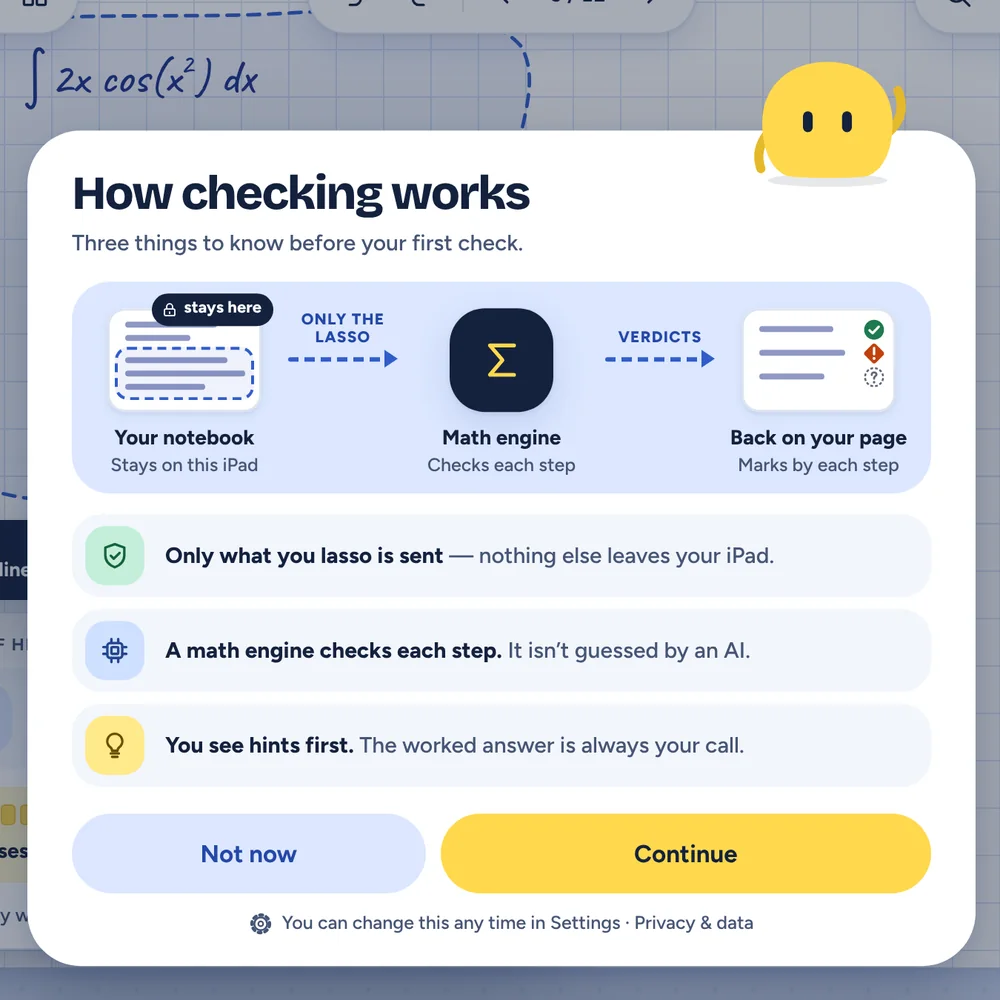
And your notebook stays yours. Only what you lasso is sent. Nothing else leaves your iPad. Read the privacy policy.
FAQ
Calculus I is where we’re starting. The notebook, the checks and the study tools are built around it, which is how a Check can say something useful about your step instead of something generic.
No. A math engine checks each step, and it isn’t guessed by an AI. That’s why a Check can say “checks out” or “can’t verify yet” instead of bluffing.
Only what you lasso, and only when you tap Check or Graph, or one page’s handwriting if you choose Check This Page’s Writing. A practice answer you hand in and a question you ask Chalk are sent too. Other pages stay on your iPad. You can always see what was read from your handwriting. The privacy policy lists what we keep and for how long.
Hints come first, one at a time: where to look, which rule, then a question for you. The worked fix waits behind a confirm, and “Let me try again” is always the main button.
You keep the hints you’ve already seen, plus Graph, Watch and all of your notes. Checks come back when your month resets. Right now that’s 30 free Checks a month. At launch you also get 200 practice answers a month, and an Exam Pass will add 120 Checks and 800 practice answers for one exam, for up to 30 days. It’s $14.99, paid once, and it never renews.
Your notes are always safe on your iPad. Checks need a connection.
Join the waitlist and we’ll write to you when it’s ready for your iPad.
For students 13 and older. We’ll only use your email to tell you when Slate Notes is ready. Privacy policy